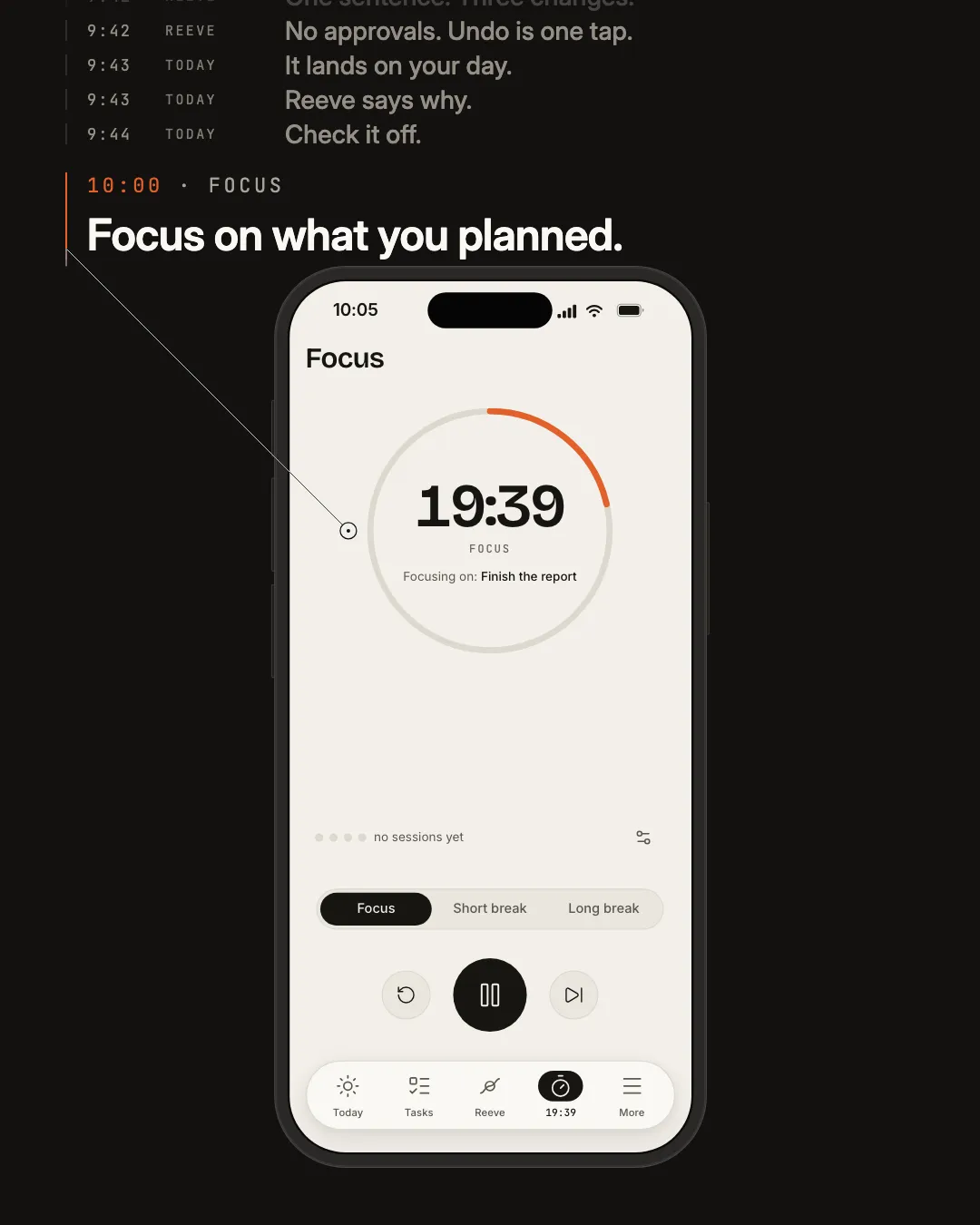
One day with Tethril
Four surfaces, at the hour you would use them.
From the moment you open it to the moment you write the day down.
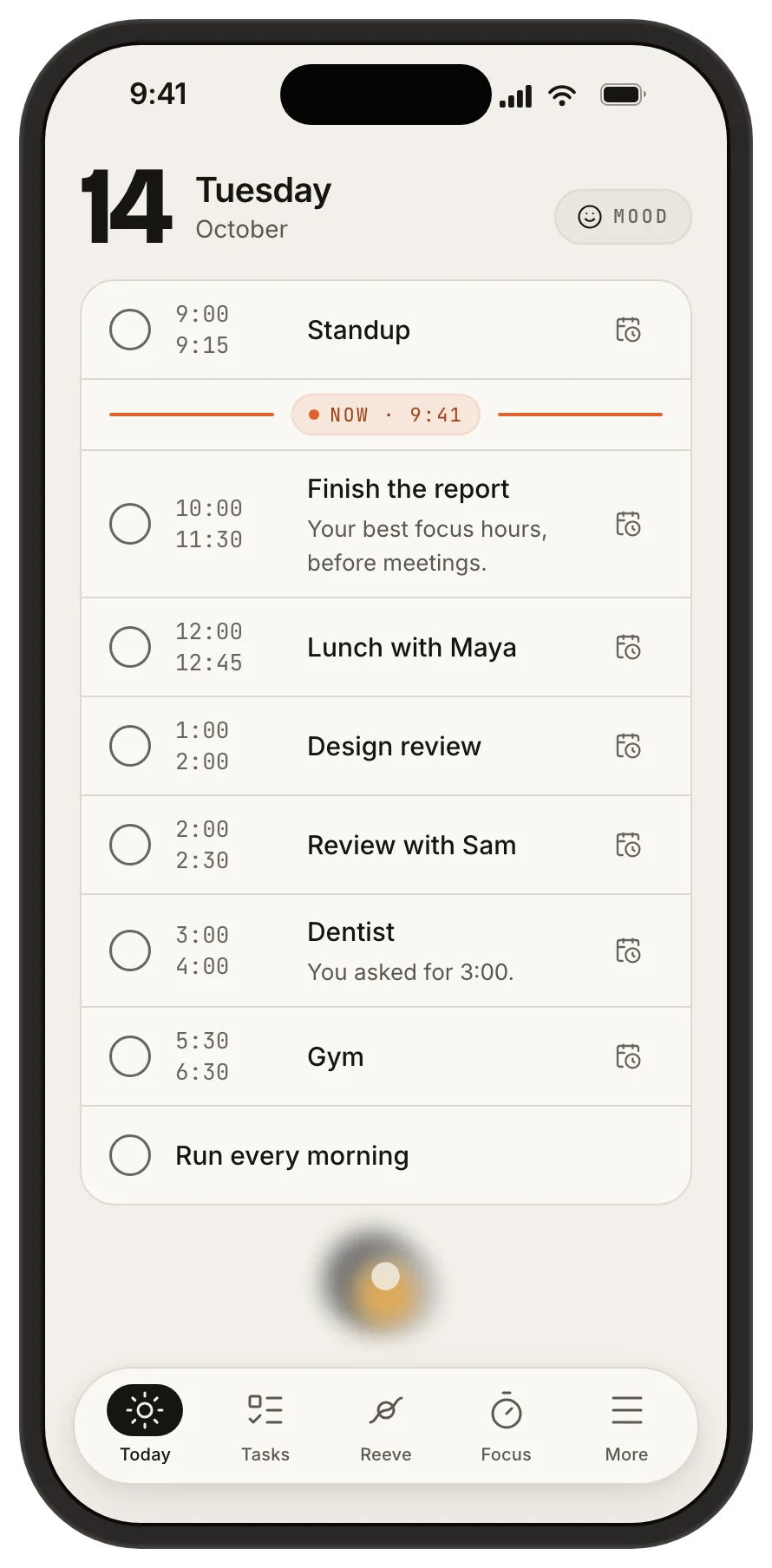
08:40 Today
One list, in order, with the reason under every block.
One timeline, not a pile of cards. Everything Reeve planned for the day sits in order, with the reason under each block. Tick things off, defer a task, ask Reeve to move a block, log your mood, all from here.
08:52 Reeve
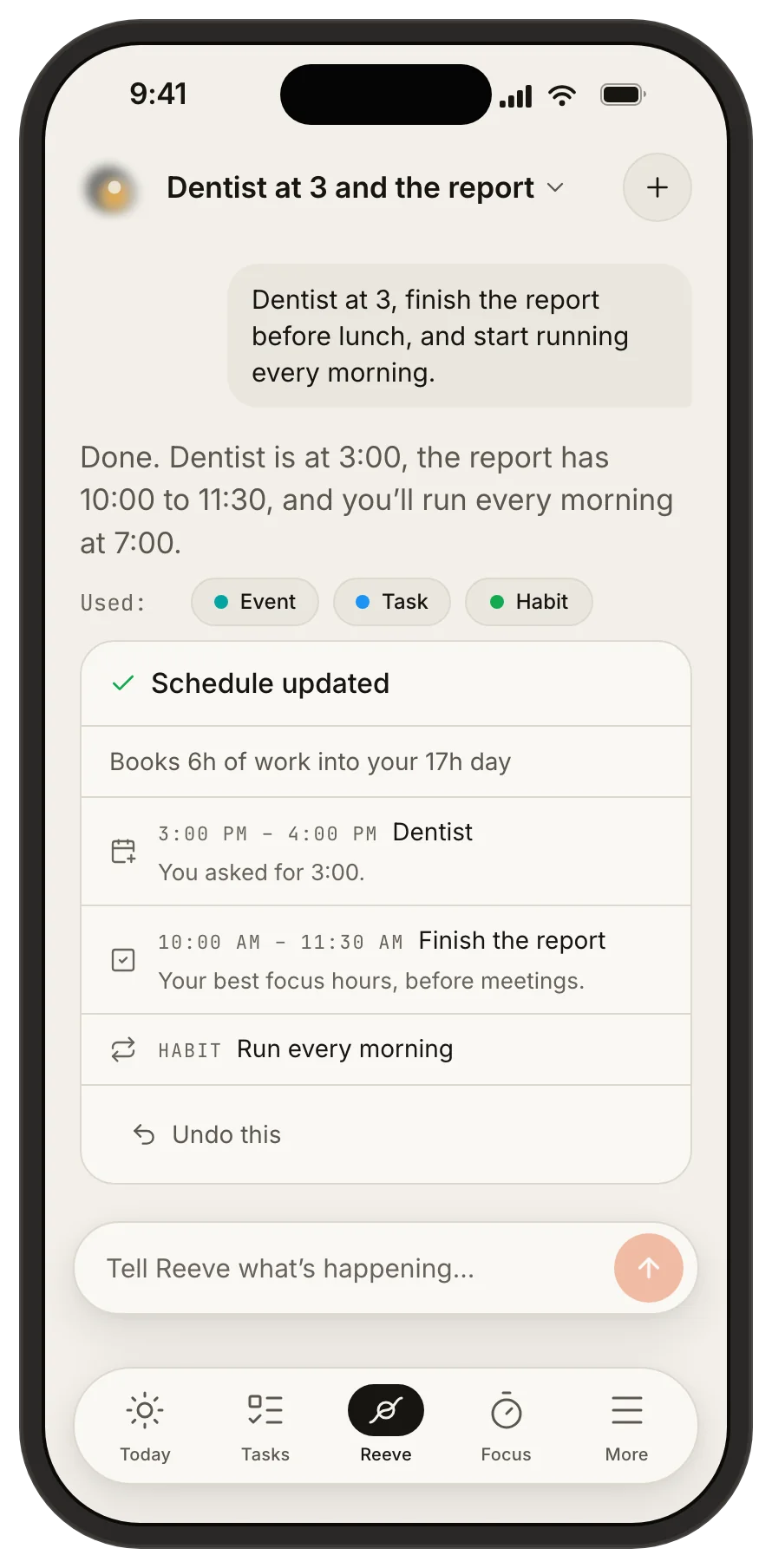
It acts, then tells you what it cost.
- No approval step. An approval gate costs you a click to learn what the calendar could just show. Reeve acts, and every turn that wrote carries its own undo.
- The consequence line is computed, not written. “Nothing else had to give” comes from the operations before they run, server-side. The model never authors it.
- Most questions never reach a model. “What’s in the next hour?” is answered from data already in your browser, instantly and privately.
14:00 Focus
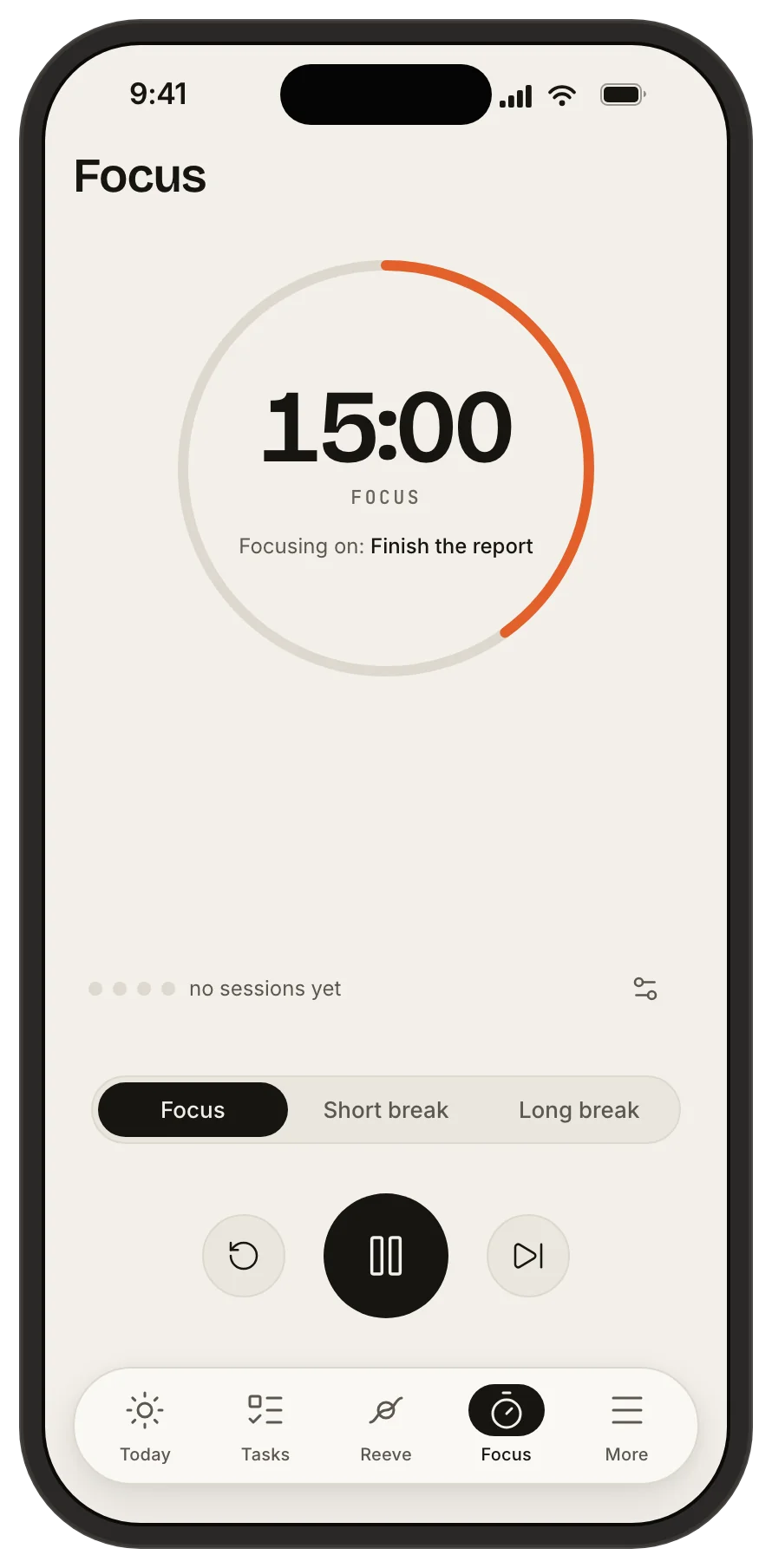
The timer knows what the calendar says.
Pomodoro with a mode-coloured ring, keyboard control, a zen fullscreen and a per-day count. It reads today’s schedule to name what you are focusing on.
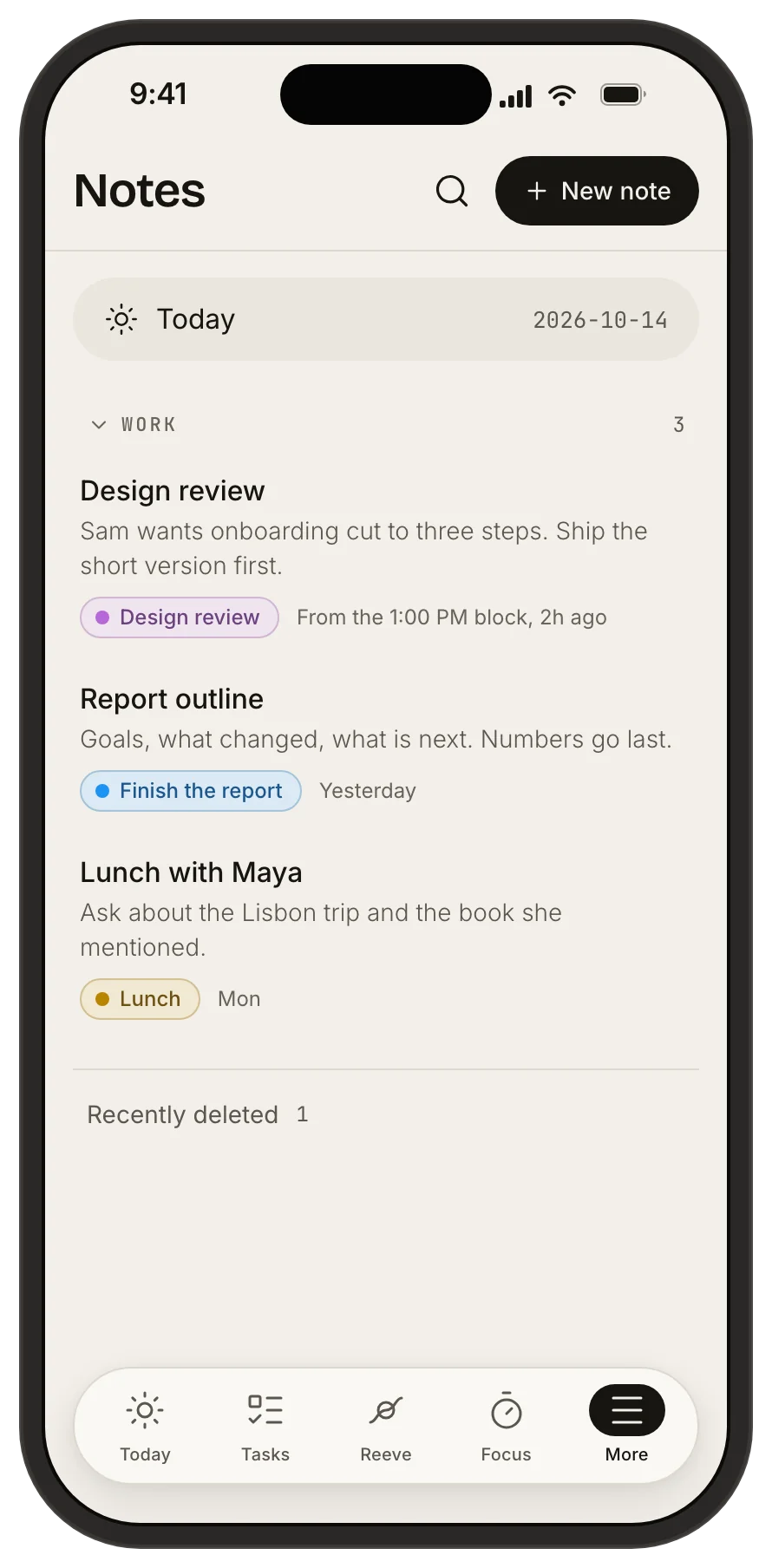
17:30 Notes
Where the day gets written down.
A note can cite the block it came out of, so it knows which ninety minutes produced it. Tags carry the category hues, so a note and the work it came from stay related by colour.
Also in the box
- One box for everything
- Find any event, task or note, or switch to Ask, from anywhere.
- Every change keeps its undo
- The inverse lives server-side, so undo still works after you close the app.
- Export whenever you like
- Settings → Privacy and data → Export data. One JSON file, every event, task, note and setting.
- Colour packs
- Five palettes. The schedule carries your hues; nothing else has to.
- 12- or 24-hour
- Set once, honoured on every surface.
- Works on a phone
- Responsive web, installable to the home screen. No app store detour.
Questions
- What does it cost?
- Nothing. Tethril is free.
- How does the AI work?
- Tell Reeve what you want in plain English. It makes the change straight away, with no approval step, then shows what it did to your day and keeps an undo on that step for as long as you need it. Reeve uses Google Gemini to understand and reply, so what you send it, and the part of your schedule it needs to answer, is shared with Google to write the reply.
- Where is my data stored?
- Encrypted at rest in a managed Postgres database on Fly.io, in US East. See our Privacy Policy for the full sub-processor list.
- Can I export my data?
- Yes. Settings → Privacy and data → Export data. You get a single JSON file with every event, task, note, and setting.
- Can I see my calendars in Tethril?
- Yes. Add a calendar by link or upload an .ics file, and on iPhone and iPad Tethril can also show the calendars already on your phone. Tethril only reads them and never changes them. Connecting Google Calendar directly is coming soon, once Google has finished reviewing it.
- Is there an iOS app?
- Yes. Tethril is an app for iPhone and iPad, and it also works on the web in any browser.
- How do you handle privacy / GDPR?
- Export everything or delete your account yourself in Settings → Privacy and data. We set no advertising cookies, run no cross-site tracking, and serve our own fonts rather than loading them from a third party, which is why there is no cookie banner. The Cookie Notice lists every cookie we do set.
Tell it what's happening. It figures out the rest.
Free · no card